


🚴 For road cycling enthusiasts and their coaches
Train with a plan, not at random
A personal plan based on your FTP in a minute. AI analyses every ride and sums up your week and month — and tells you what to adjust in the plan.
Create a plan for free What the AI can do
- Free, no card
- AI analysis of rides and weeks
- FIT from Garmin, Wahoo, Zwift
Features
Everything for training — in one place
No spreadsheets, notes or five different apps.
FTP-based plan in a minute
2–4 weeks with key workouts, recovery and a test. Missed something? The plan adapts.
Create a plan →AI analysis of every ride
Upload a FIT — AI compares your intervals with the plan, checks heart rate and zones and tells you what to do next.
How it works →Indoor trainer in the browser
Gauges, intervals and hints right on screen. Or a .zwo file for Zwift and MyWhoosh.
Routes and weather
GPX builder, forecast at the start, how much water and gels to take.
Progress and fitness
AI sums up your week and month: where you are improving and where you are stuck. CTL, ATL, TSB and a race-day forecast.
Coach and team
Chat, group rides, “I’m in” marks and shared team statistics.
How it works
Three steps to your first workout
Tell us about yourself
FTP, weight and how many days a week you have for training. Don’t know your FTP? The first workout will be a test.
Get a plan
2–4 weeks with a method, power and heart rate, water and nutrition for every workout.
Train and grow
Upload FIT — AI analyses every ride and week, and the plan adapts to your progress.
Try it now
A plan in a minute — no registration
- See a week of training right away
- Save it to your account in one click
- Or upload a FIT — ride analysis also works without logging in
Create a training plan in a minute
Take a look inside
This is what the dashboard looks like

Weekly plan
A week on one screen: load by day, fitness forecast, workouts with intervals, water and nutrition. The next one is expanded.
Create your plan
Ride analysis
Power, heart rate and elevation on one chart, zones, NP, TSS and a comparison with the plan. Plus a story image.
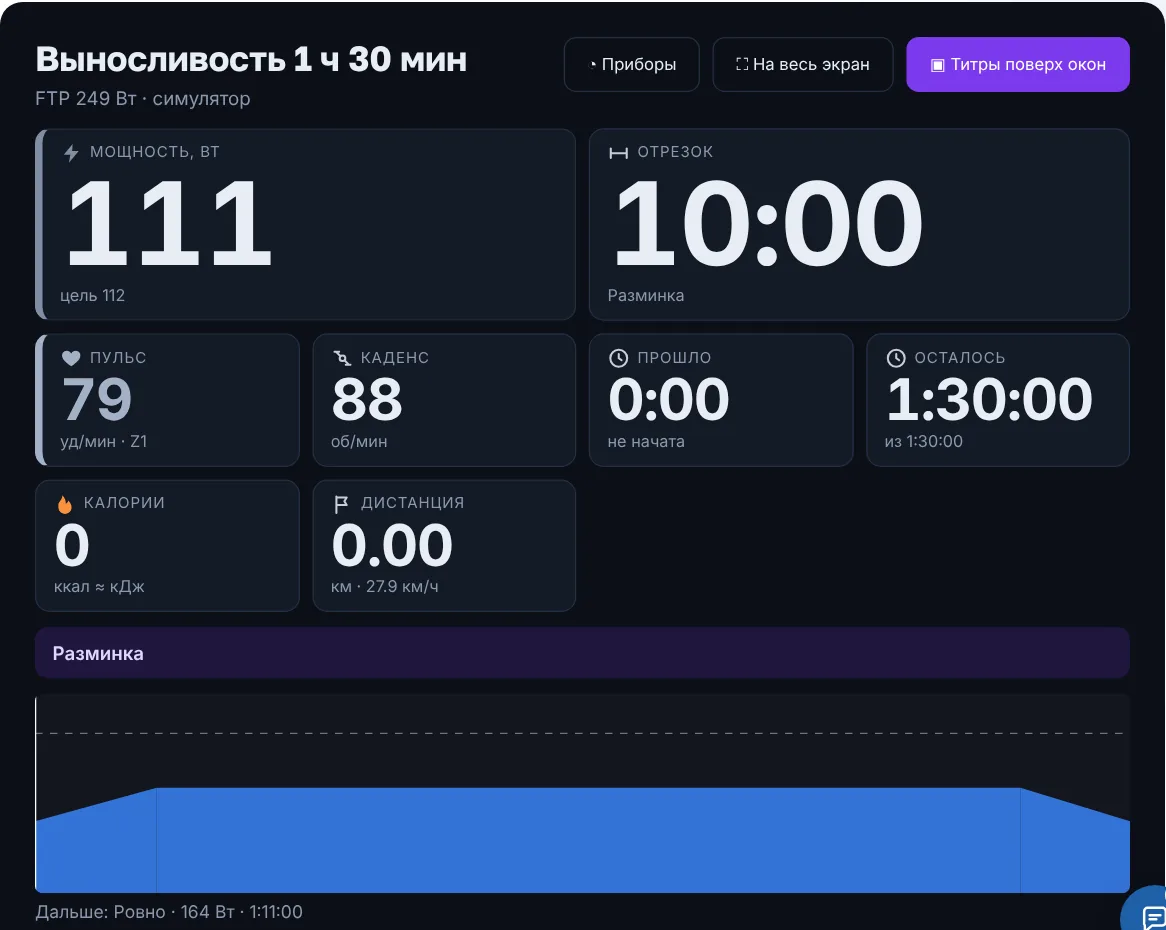
Indoor trainer
Power, heart rate and cadence gauges, intervals and hints — right in the browser, on a phone or laptop.
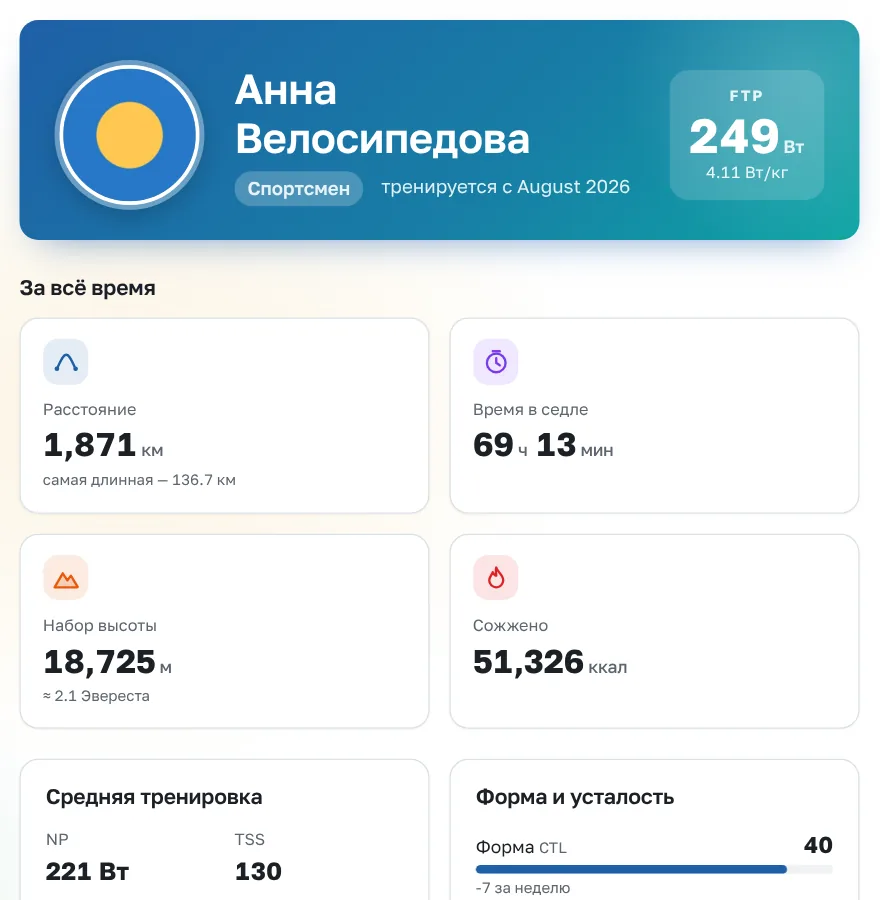
Profile
All-time totals, fitness, a yearly training calendar and a log — you can share a link or a story.
For coaches
Coach 20–30 athletes without spreadsheets
- Weekly plans for the whole group in a couple of clicks
- Who completed, who missed, who is tired — visible at once
- Chat with each athlete and the team, group rides
Questions
FAQ
Is it free?
Creating a plan, marking workouts, analysing rides and training on the indoor trainer are free. Extended features are in the paid plans; no card is needed to sign up.
Do I need a power meter?
No. Without one, the plan shows heart rate and feel, and estimates speed and distance from weight and height. With a power meter — watts for every interval.
Does it work with Garmin, Wahoo, Zwift?
Yes: upload FIT files from any bike computer or watch. Trainer workouts download as a .zwo file — Zwift, MyWhoosh, TrainingPeaks Virtual and others open it.
I don’t know my FTP. What should I do?
Leave the field empty — the first key workout in the plan will be an FTP test, and power will then be recalculated automatically.
Can I train with my coach?
Yes. The coach sees your plan and completion, changes workouts and writes in the chat; group rides come with an “I’m in” mark.
Who can see my workouts?
Only you and those you’ve opened the section to: your coach, friends or all members — chosen in the access settings.
How does the AI analyse workouts?
After a FIT upload the AI gets the ride numbers — power, heart rate, intervals, zones — and compares them with the plan. For a week or month it looks at the trend: best efforts, fitness and fatigue, plan completion. You get a short analysis and specific advice.
What data does the AI receive?
Only workout numbers and the parameters needed to calculate load, such as FTP. Your name, e-mail and contacts are never sent to the model.
Can the AI change my plan by itself?
No. The AI suggests adjustments — make the week easier, update FTP, build a new plan — and you apply them with a button. Making the plan easier can be undone within 14 days.
Your first plan — in a minute
Free, no card. Save it to your account and start tomorrow.